Software
FileMind
A local-first file intelligence system that turns natural-language intent into a way to find, organize, and interact with files across a computer.
Evolved from a native Swift/SwiftUI macOS search app through multiple architectural rewrites into a Tauri + React + Rust local-first system. Earlier versions live in the original FileMind repository.
FileMind is a project I started because conventional file search always felt too dependent on remembering exactly what a file was called. I wanted to build something that could understand what I was actually looking for and eventually turn natural-language intent into a mechanism for locating, organizing, and interacting with files across a computer.
What began as a relatively simple macOS file-search application evolved through several architectural iterations into a much broader local-first file intelligence system. I treated each version as an opportunity to rethink the architecture rather than simply adding features on top of the previous implementation.
The project has gone through FileMind 0.0, 1.0, 2.0, multiple 2.1.x iterations, and the 3.x line — currently at 3.2.2 — with the older versions preserved in my original GitHub repository and the 3.x architecture living in a dedicated repository. The version history itself is part of the project: it documents the progression from a native Swift application into a substantially more decoupled desktop architecture.
The original problem
Traditional filesystem search is fundamentally filename-oriented. If I remember that I had “the screenshot from that robotics meeting” but not whether I named it IMG_3847.png, robotics_meeting.png, or put it inside an unrelated directory, a conventional filename query gives me very little to work with.
My goal was to make the search process operate closer to the way a person thinks.
Instead of:
- Filename
- Match
- Result
I wanted to move toward:
- Intent
- Interpretation
- File representation
- Retrieval
- Result
That meant FileMind gradually became less about building another search bar and more about building an entire processing pipeline around the user’s files.
FileMind 1.0 — Native macOS foundation
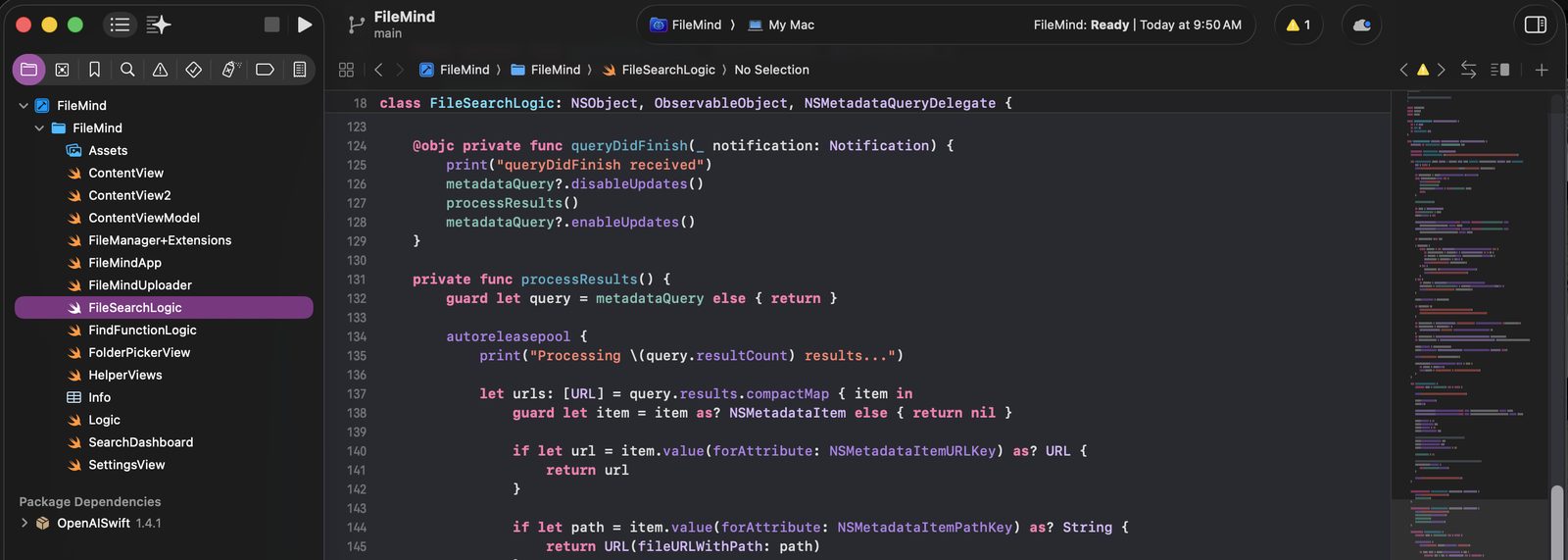
The first substantial implementation was written natively in Swift and SwiftUI, with the application structured around components such as ContentView, ContentViewModel, FileSearchLogic, FolderPickerView, and custom FileManager extensions.
The original search engine used macOS NSMetadataQuery, allowing FileMind to integrate with the operating system’s metadata-search infrastructure rather than manually walking the filesystem for every query. Search scopes were explicitly controlled, with normal searches prioritizing user-facing directories such as Documents, Downloads, Desktop, Pictures, Movies, and Music. A DeepSearch mode expanded the search scope across the filesystem while allowing directories to be excluded.
The application also implemented a debounced search pipeline in the view model. Search input was delayed by 250 ms, duplicate queries were removed, and results were propagated reactively through Combine.
That established an important design principle for the project: the user interface should remain responsive while potentially expensive filesystem operations happen independently from the presentation layer.
Versions 0.0 & 1.0
FileMind 2.0 — Introducing content understanding
Version 2.0 moved FileMind beyond filename matching by introducing a file-analysis layer.
The FileAnalyzer class became responsible for processing files according to their type. PDFs were parsed through PDFKit, text and Markdown files were read directly, and image files were passed through Apple’s Vision framework for OCR-based text extraction. The analyzer also dispatched work onto user-initiated background queues and synchronized completion through a DispatchGroup.
That was a major conceptual shift.
A file was no longer represented only by:
- path + filename
Versions 2.0+
It could now produce an extracted representation containing information derived from its contents.
For example, a PDF could be reduced to textual content, while an image could produce OCR-derived text. That representation could then be supplied to an AI model for interpretation.
The architecture therefore started moving toward:
- Filesystem
- Extraction
- Representation
- AI interpretation
- Candidate files
rather than simply asking the operating system whether a filename contained a query string.
AI-assisted retrieval
I also experimented with using an LLM as an intermediate reasoning layer.
In the 2.0 implementation, FileMind constructed a prompt containing the user’s natural-language request alongside extracted file summaries, then asked the AI system to identify the filenames that best matched the request. The returned filenames were normalized and reconciled against the locally known files before being presented as results.
The AI search layer itself used a structured chat request and an OpenAI completion endpoint. The system prompt instructed the model to generate descriptive keywords or tags intended to help match the user’s intent against filenames.
This was an important intermediate step because it demonstrated the architectural possibility of separating:
- User intent
- AI interpretation
- Deterministic local file resolution
rather than allowing the model to directly manipulate arbitrary filesystem state.
Command-driven search
As the project developed, I also introduced command-oriented interactions such as /find.
The interface recognized slash commands and changed the search flow accordingly. In Find mode, the user could enter a natural-language request and explicitly trigger the AI-assisted search rather than having the application interpret every keystroke as a conventional filesystem query.
This introduced an additional layer between UI state and retrieval state, with command parsing, debounced input, asynchronous searches, explicit search triggering, and AI result injection into the normal result model.
FileMind 2.1 — Separating local search from backend processing
The 2.1 iterations introduced another significant architectural experiment: moving processing work away from the Mac itself.
FileMindUploader was implemented to recursively collect files from user directories, create a unique remote job directory, transfer the files using scp, and trigger a backend Python processing pipeline over SSH.
The pipeline effectively became:
- Local filesystem
- file collection
- secure transfer
- remote job directory
- Python backend
- AI / processing pipeline
This was one of the points where FileMind stopped being merely a SwiftUI application and became an actual distributed software system.
I was dealing with things such as:
- filesystem traversal
- process execution
- SSH
- SCP
- remote job identification
- asynchronous backend execution
- file staging
- local/remote state synchronization
That experimentation also taught me an important architectural lesson: moving computation to a remote backend introduces completely different concerns around privacy, latency, credentials, reliability, transfer overhead, and deployment complexity.
FileMind 3.0 to 3.2.2 — Architectural rebuild
The 3.x line began with FileMind 3.0 as a substantial rewrite rather than simply another feature release, and that architecture is still what I’m building on — currently at 3.2.2.
The public 3.x repository uses Tauri 2, React 19, TypeScript, Vite, Tailwind CSS and Rust, creating a desktop application where a web-based frontend communicates with native Rust functionality through Tauri commands.
The architecture is split into clear layers:
- React / TypeScript UI
- Tauri IPC
- Rust backend
- filesystem / indexing / model infrastructure
Versions 3.0+ · current 3.2.2
The Rust side exposes commands such as search_files, start_file_index, get_file_index_progress, continue_file_index, clear_file_index, download_model, start_llama_server, and reveal_in_finder.
That separation is important because filesystem operations, indexing, model management, and process management no longer need to be implemented inside the UI layer.
Background file representation pipeline
One of the most technically interesting parts of the 3.x architecture is the background file-representation pipeline.
The Rust backend maintains indexing state, progress, cancellation state, persisted progress, cache status, and resumable indexing. The system can process files asynchronously while exposing progress events back to the frontend.
The pipeline keeps track of things such as:
- indexed file count
- total work
- error count
- last indexed file
- paused state
- completion state
The index state is persisted to disk, allowing an interrupted indexing run to be resumed rather than forcing the user to restart from zero.
This is the kind of functionality that becomes necessary once indexing thousands of files stops being a quick synchronous operation and becomes an actual background subsystem.
Local AI inference
Another major direction in the 3.x line is local inference.
The application manages a local Qwen3 4B GGUF model, downloaded into the user’s local FileMind model directory. The backend manages the model lifecycle, download progress, cancellation, installation, and removal.
Instead of relying entirely on a cloud API, FileMind can launch a local llama.cpp llama-server sidecar and communicate with it over a localhost HTTP endpoint. The Rust backend manages the server process and starts it with the selected GGUF model.
This gives the architecture a much more local-first character:
- Desktop application
- Local model
- Localhost inference server
rather than:
- Desktop application
- External AI API
- Internet
- External model
That is an especially important architectural direction for a file-management product because the data being processed can be extremely sensitive.
TraceSearch
The newer architecture also introduces TraceSearch, a more conversational search path.
The frontend can send natural-language messages to the local llama-server, receive structured search hints, and parse values such as:
- folders to include
- folders to exclude
- date hints
- file-type hints
Those hints are then passed back into the native Rust search layer rather than having the language model directly search the filesystem.
That creates an interesting architecture:
- Natural language
- Local LLM
- Structured search constraints
- Native filesystem search
This separation is deliberate. The model handles interpretation while the deterministic backend remains responsible for actually resolving files.
Native filesystem search
The Rust backend performs filesystem traversal using WalkDir, filters hidden files and directories, supports excluded paths, supports configurable search roots, and differentiates between normal and deep-search modes.
Normal search prioritizes common user-facing directories such as Documents, Downloads, Desktop, Pictures, Movies, and Music. DeepSearch can expand the search scope substantially while excluding system locations and user-specified paths.
Results are scored according to both folder priority and match type, with exact prefix-style matches receiving different treatment from generic substring matches.
This is intentionally deterministic. The AI can interpret a query, but the filesystem layer remains responsible for locating and returning actual files.
Frontend/backend communication
The React frontend invokes Rust commands through Tauri’s IPC layer.
For example, a search request originating in the UI passes the user’s query, search mode, excluded paths, included folders, and excluded folders through invoke() to the Rust backend.
The same architecture is used for:
- model installation
- starting the inference server
- index control
- index progress
- cache management
- Finder integration
This provides a much cleaner separation between presentation logic and native system capabilities than the earlier all-Swift architecture.
The larger engineering challenge
What makes FileMind particularly important to me is that it has never really been one isolated feature.
It is the combination of multiple systems:
User Interface
SwiftUI in the earlier versions, followed by React/TypeScript in 3.0.
Filesystem layer
Directory traversal, file filtering, search scopes, exclusion rules, metadata, and Finder integration.
Content extraction
PDF parsing, text extraction, image OCR, and file representation.
AI layer
Natural-language interpretation, AI-assisted file matching, local language-model inference, and structured search hints.
Indexing
Background processing, caching, resumability, progress reporting, cancellation, and persisted state.
Systems architecture
Tauri IPC, Rust commands, native process management, sidecar binaries, localhost services, model installation, and OS integration.
Development infrastructure
Git, GitHub, multiple repositories, multiple versions, architectural rewrites, and iterative experimentation.
That breadth is what made the project significantly more difficult than simply building a search UI.
Version progression
The project can almost be described as a series of architectural experiments:
FileMind 0.0
The initial idea and proof of concept.
FileMind 1.0
Native macOS application, SwiftUI interface, filesystem search, NSMetadataQuery, Combine-based state management, normal search and DeepSearch.
FileMind 2.0
Introduced content extraction, PDF processing, Vision OCR, AI-assisted matching, file summarization, and natural-language search.
FileMind 2.1 / 2.1.x
Expanded command-based interaction, search controls, file uploading, and experimentation with remote backend processing through SSH/SCP.
FileMind 3.0 to 3.2.2
Architectural rebuild using Tauri + React + TypeScript + Rust, background indexing, persisted index state, local GGUF model management, llama.cpp inference, TraceSearch, and stronger separation between the UI, native backend, and AI infrastructure. 3.0 established that stack; 3.2.2 is the current release on top of it.
What I personally did
The part I would emphasize most heavily on the portfolio is that I was not simply assembling libraries together.
I designed and iterated on the architecture itself.
I had to decide where responsibilities belonged, how the UI should communicate with native code, how files should be represented, how searches should be scoped, how AI should interact with deterministic filesystem operations, and how long-running indexing tasks should behave when interrupted.
I implemented the application layer, search logic, file-management logic, AI integration, UI state management, backend communication, model-management infrastructure, and the underlying system architecture across multiple iterations.
The project also forced me to think about problems that don’t appear in a typical school project: asynchronous state, process lifecycles, filesystem permissions, large-scale indexing, failure recovery, caching, local inference, model distribution, IPC boundaries, privacy, and the difference between probabilistic AI output and deterministic system behavior.
What I learned
FileMind taught me that the difficult part of software engineering is often not making something work once.
It is designing it so that the system can continue to work when the number of files increases, when a process fails, when the user changes configuration, when a model is missing, when indexing is interrupted, when the AI produces an imperfect interpretation, or when the architecture needs to change completely.
The project also changed how I think about software.
I started with an application that essentially searched files.
Over time, it became an exploration into information retrieval, natural-language interfaces, content extraction, local AI, desktop systems programming, indexing architecture, caching, and distributed processing.
That evolution is probably the part of FileMind that I am most proud of.